What Is RCS Messaging? How It Works and When to Use It for Business
RCS is the messaging standard that succeeds SMS. The name stands for Rich Communication Services, and messages arrive in the phone's built-in messaging app over mobile data or Wi-Fi, with images, buttons, read receipts and a verified sender. It works on Android and, since iOS 18, on iPhone. This guide compares RCS, SMS, MMS and WhatsApp, shows where encryption really stands and explains how a business gets started.
 CCX ProductProduct · Channel rules · Nov 2, 2026 · 24 min read
What you'll take away
- What RCS is, who defines the standard, the current Universal Profile version and how it differs from SMS, MMS and WhatsApp
- How to turn it on for Android and iPhone, what carrier support looks like and why business RCS is not end-to-end encrypted
- RCS for business in practice: verified agents, SMS fallback, billing models and a step-by-step way to start
What is RCS, and what does the acronym mean?
RCS stands for Rich Communication Services. It is the standard that succeeds SMS. A message is still tied to a phone number and still lands in the phone's built-in messaging app, but it travels over mobile data or Wi-Fi and gains features SMS never had.
The difference shows up in the conversation. The GSMA, the global association of mobile operators, lists typing indicators, read receipts, high-quality photos and video, and better group chats. There is nothing to install. On Android, RCS usually lives in Google Messages. On iPhone, it lives in the Messages app, where chats with Android users appear as green bubbles.
The service is provided by Google or by the carrier, according to the Google Messages help center. Sending and receiving over Wi-Fi costs nothing. Over mobile data, traffic counts against the plan, and Apple warns that carrier fees may apply. Per-message charges fall on the business that sends the message, a topic covered further down.
Three names get mixed up. RCS is the standard. RCS chats, or chat features on some phones, is the setting in Google Messages. And RCS for business is a brand using the standard: Google used to call it RCS Business Messaging, or RBM, and since September 2025 has called it RCS for Business. An older guide that says RBM means the same thing.
GSMA and Universal Profile: who defines RCS, and what is the current version?
The GSMA defines RCS in a set of specifications called the Universal Profile. It exists so that different phones, apps and carriers speak the same language. Apple and Google contribute to the specification, the GSMA says, and this shared profile is what makes chats between iPhone and Android possible.
Version 3.0, from March 2025, laid the groundwork for end-to-end encryption using the Messaging Layer Security (MLS) protocol and added a richer deep-link format for businesses. Version 4.0, announced on March 26, 2026, added video calls started from a chat, bold, italic and strikethrough text, streaming video inside cards and more control over how links open.
The current version is 4.1, which the GSMA presented in an article dated July 28, 2026. It refines encryption based on interoperability testing, adopts a gRPC-based transport between networks and lets people share a profile name and photo, with control over who receives them. The GSMA itself says 4.1 is not focused on major new consumer features.
What often gets left out is that a published version is not a feature on a phone. Version 3.0 came out in March 2025, and encryption between iPhone and Android only began reaching people in May 2026, 14 months later and still in beta. When you read that RCS already has native video calling, check whether your customer's app and carrier have implemented it.
RCS vs. SMS, MMS and WhatsApp: the comparison table
Read this table row by row. Transport and app. SMS: carrier network, no internet, in the phone's messaging app. MMS: carrier network, with data, in the same app. RCS: mobile data or Wi-Fi, in the same app, nothing to install. WhatsApp: mobile data or Wi-Fi, in the WhatsApp app, which the person needs to have.
Content. SMS: text only; up to 160 characters is one segment, or 70 with emoji. MMS: compressed images and video, no buttons. RCS: up to 3,072 characters in the text portion, files up to 100 MiB, cards with up to four buttons and carousels of 2 to 10 cards, per Google's documentation. WhatsApp: text, media, buttons and lists, within Meta's rules.
Sender. SMS: short or long number, no badge, with the brand written in the text. MMS: same as SMS. RCS: an agent with a name, logo and verification checkmark instead of a number, once the company's identity is confirmed. WhatsApp: a business profile with name and photo, and a verified badge for those Meta approves.
Sending rules. SMS and MMS: no conversation window, and consent comes from the law and from carrier rules. RCS: the agent is approved before sending, with a fixed use case, and Google's policy requires consent. WhatsApp: outside the 24-hour window, templates only and only to people who opted in, Meta says.
Encryption. SMS and MMS: not end-to-end, Google states. Person-to-person RCS: end-to-end in Google Messages and, in beta, between iPhone and Android on supported carriers. Business RCS: in transit and at rest, not end-to-end. Person-to-person WhatsApp: end-to-end. Business WhatsApp on the Cloud API: Meta decrypts at the API, and WhatsApp does not consider these messages end-to-end encrypted.
Billing and reach. SMS: per segment, and it reaches virtually any phone. MMS: depends on the carrier. RCS: per message or per 24-hour conversation, depending on the model, with reach that depends on phone, app and carrier. WhatsApp: per delivered message, by category and country, reaching people who have the app. That is why RCS usually ships with an SMS fallback, and no single row crowns a winner.
How to turn on RCS on Android and iPhone
On Android, open Google Messages, tap your profile picture or initial, go to Messages settings, then RCS chats. On some phones the item appears as Chat features. Turn it on and wait for your number to be verified. The help center warns that turning it on and off repeatedly can remove you from group chats.
The same screen shows the status. Connected means it is working. Connecting means your number is being verified. Trouble connecting, if it lasts more than 30 minutes, calls for sending feedback from that screen. Not supported means you should check your internet connection. If it says your carrier has disabled RCS chats, contact the carrier.
On iPhone, you need iOS 18 or later and a plan from a carrier that supports RCS on iPhone, Apple says. The path is Settings, Apps, Messages, RCS Messaging. There may be a short delay after you turn it on. Support arrived in September 2024, but each carrier joined on its own schedule. If the option is missing, RCS may not be available on your device or plan.
That iPhone screen has two other useful options. RCS Business Messages can be turned off by anyone who does not want order and transaction updates from companies. And in iOS 26.5, End-to-End Encryption (Beta) appears there, on by default. For a business, this means an iPhone with RCS may still have business messages turned off.
How do you know a chat is RCS? In Google Messages, the send icon shows whether the message goes over Wi-Fi or data, SMS or MMS. An RCS chat only turns on when all participants have RCS. And the setting to resend automatically as text controls what happens when RCS is unavailable.
End-to-end encrypted RCS: where it really stands in November 2026
Between people, RCS already has end-to-end encryption, with limits. In Google Messages, it works when everyone is on the app with RCS chats turned on. Between iPhone and Android, the GSMA and Google announced the start of the rollout on May 11, 2026, with iOS 26.5 on one side and the latest Google Messages on the other. The technical basis is the MLS protocol in Universal Profile 3.0.
Three conditions explain why many people still do not see the lock. Apple calls the feature a beta. It says the feature only works with supported carriers and will roll out over time. And the GSMA writes that it depends on being enabled by mobile operators. When it is active, the chat shows a lock icon on both systems. No lock means you should treat the chat as not end-to-end encrypted.
Apple's carrier list is the place to check, country by country. For Brazil, as consulted on November 2, 2026, it shows end-to-end encrypted RCS messaging (beta) for TIM and Vivo, and no such item for Claro. A community tracker that reads iOS carrier bundles already marks Claro as supported, but it is not an official source. The final check is seeing the lock in the chat.
The Electronic Frontier Foundation raised two caveats in May 2026. Metadata, such as who talked to whom and when, will likely still be collected. And cloud backups may stay unencrypted unless the user turns on Advanced Data Protection on iPhone. On Android, Google Messages encrypts the text in backups but not the media.
One reading trap. The Google Messages help page on encryption, read on November 2, 2026, still says only Google Messages supports end-to-end encrypted RCS, while the May announcement lives on Google's blog. The help page does not reflect the announcement, and the cross-platform rollout is gradual. For a business, none of this changes the answer in the next section.
Is business RCS end-to-end encrypted? No, and it helps to know why
The direct answer is in Google's data security documentation for RCS for Business: RBM does not offer end-to-end encryption, which is why no lock appears in these chats. The Google Messages help center repeats that verified chats with businesses are not end-to-end encrypted. The 2026 progress you just read about covers conversations between people.
What exists is point-to-point encryption. The message travels encrypted between the device and Google's servers, and between those servers and the company's messaging partner, and it is encrypted at rest. Google holds the keys. Partners cannot use their own, because Google needs to scan messages for malicious content such as phishing links.
Who can read the messages? Whoever operates the agent and, in some cases, the carrier can access the content. Google accesses what the business sends, to fight spam and abuse, and its documentation says it does not access what users send to businesses. Undelivered messages stay on Google's servers for up to 30 days, media in delivered messages for 60 days, and delivered messages may be kept 14 days for abuse detection.
None of this makes the channel unsafe. It is what you would expect from a channel where a team and a system must read the reply. WhatsApp makes the same distinction: Meta documents that the Cloud API decrypts a message before passing it to the business, and WhatsApp's privacy page says it does not consider messages with businesses that store chats with Meta to be end-to-end encrypted. Moving from RCS to WhatsApp on a cloud API does not solve a need for end-to-end secrecy.
The practical rule applies to any business channel. Never ask for a password, full card number or access code in a chat. Google's acceptable use policy restricts collecting passwords and financial data outside a secure flow and requires masking sensitive data, such as showing only the last four digits of a card. For anything sensitive, send a link to the logged-in area.
RCS for business: verified agents, carousels, buttons and receipts
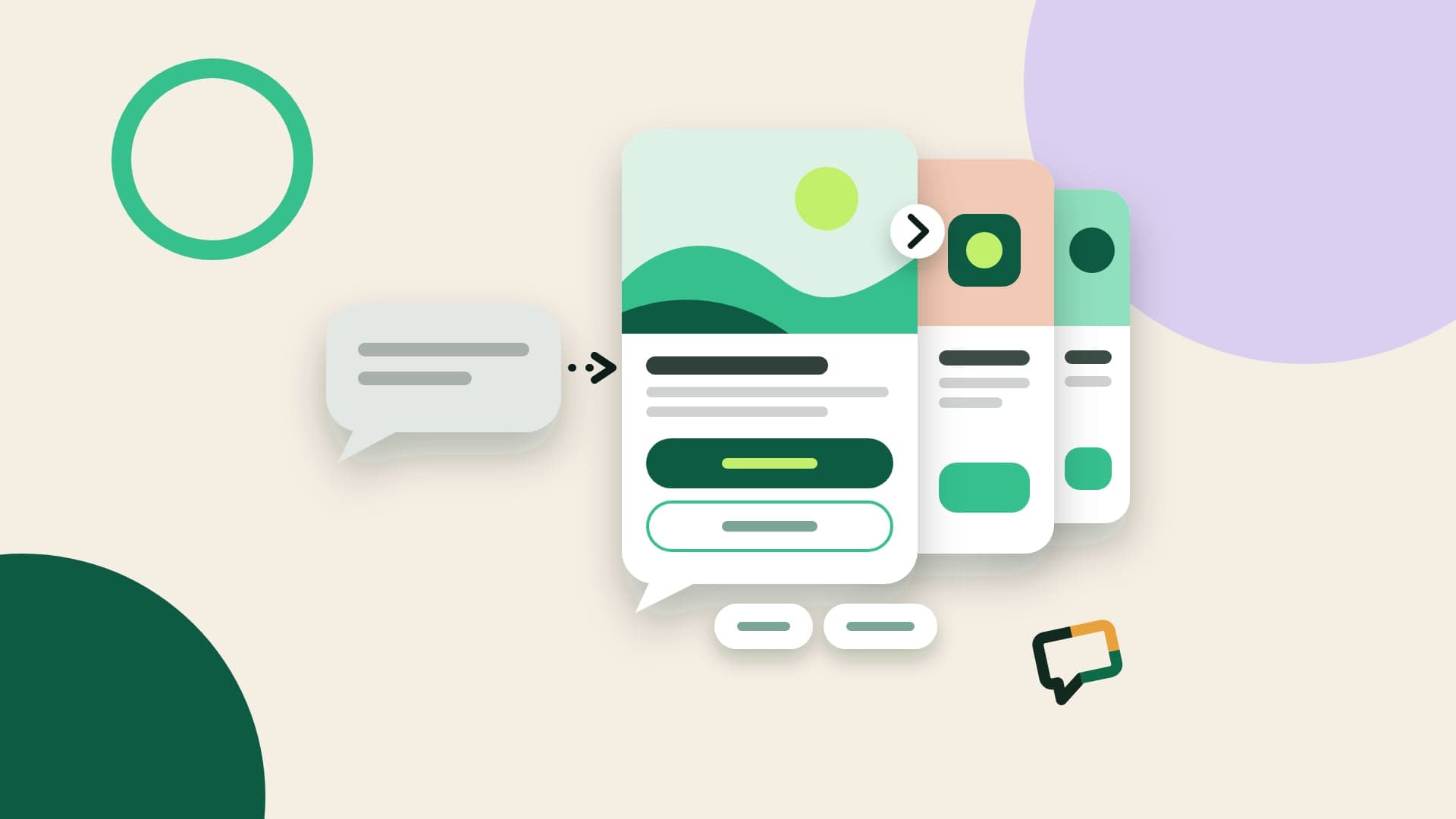
RCS for business is a brand using the standard through an agent, the sender shown in the chat. A verified agent shows a name, logo and verification checkmark instead of a phone number, after Google, a carrier or a provider confirms the company's identity. For the customer, it is the difference between an unknown number and a name they can check.
Messages can carry text, images, video, PDFs, cards and carousels. Google's documentation sets up to 3,072 characters in the text portion, files up to 100 MiB, cards with up to four suggestions and carousels of 2 to 10 cards. Each button holds up to 25 characters. Zenvia's RCS page, consulted on November 2, 2026, mentions up to 5,000 characters. If the limit matters for your message, test it with the provider you plan to hire.
Buttons come in two types. A suggested reply sends back ready-made text, such as Confirm or Reschedule. A suggested action opens a link, places a call, shows a location or creates a calendar event. Since March 2026, a suggestion that opens a link displays the destination address, which helps people check where they are going before they tap.
Receipts arrive as webhook events: delivered, read and typing, plus button taps. Not everything works on every phone. Persistent suggestions do not exist on iOS or Samsung Messages, according to a Google note from May 2026, and a message using a feature the phone does not support returns a 400 error. Infobip, in a guide read on November 2, 2026, reports that iPhone may cut card text and hide buttons, so test on both systems.
Two differences surprise people coming from WhatsApp. Google's guide says users cannot start a conversation with an agent from scratch: the business starts it, or the person enters through a QR code, link or button the business promotes. And not every business accepts replies; when it does not, a notice replaces the text box. The chat menu also always offers an option to unsubscribe.
RCS in Brazil in 2026: what we know about Vivo, Claro and TIM
Brazil shows why carrier-by-carrier checks matter. RCS reached Android first there and runs on Google's cloud platform, Mobile Time reports. In August 2025, Google cited 135 million users in the country. iPhone was the gap, described by the same publication as the main barrier to business RCS.
Vivo was first on iPhone, in September 2025, with iOS 26. TIM began a pilot in November 2025, with manual activation, and Claro came later: on September 17, 2026, Mobile Time reported that the carrier's iPhone customers can now send and receive RCS. With that, the Brazilian trade press counts all three as available.
Read on November 2, 2026, official pages move at another pace. Apple's carrier list, published in May 2026, has no RCS item for Claro. Claro's RCS Minha Claro page still says it does not serve iOS, but it describes the carrier's self-service channel, not RCS in general. So in sales material or contracts, do not write that RCS works on every carrier without measuring it. The same caution applies in any country.
On volume, Mobile Time reported in September 2026 that Brazil had 1.7 billion monetized RCS messages in August, up from 1.1 billion in January, and that more than 1,000 companies already use the channel. The article does not say who measured this. It is the most recent public figure we found, and it works as an order of magnitude.
The question that matters most to a business is different: does business RCS reach iPhones there? Apple's Brazil page does not mention business messages, and we found no list published by the carriers. The same community tracker marks RCS Business on iOS for Claro, TIM and Vivo, using bundles from November 1, 2026. Treat it as a signal and confirm with your provider, carrier by carrier, before committing to a plan.
The way to check is to measure your own list. Google's API offers a capability check per number, which says whether it can be reached over RCS and which features it accepts. The bulk check, for 500 to 10,000 unique numbers, only indicates who is reachable, based on cache and sampling, so it is an estimate. Ask your provider for that number. A coverage percentage with no source does not replace measuring your list.
SMS fallback: what happens when a phone has no RCS
Fallback does not happen automatically in the network. Google's documentation says that if a device does not support RCS, the platform returns a 404 error and the agent should move to another technology, such as SMS. The same 404 appears when the carrier has not launched your agent. The switch is made by your provider or your system, and each one has a name for it: Zenvia calls it Smart Fallback.
There are two cases. In the first, the number has no RCS at the time of sending, the answer comes right away, and the SMS goes out next. In the second, the number has RCS but the phone has no data, and the message waits in line until it expires. That expiry is what you need to set, from 6 seconds to 15 days. The 6-second floor is new, from October 2026.
Google recommends an expiry of 15 seconds or more for access codes and at least 60 seconds for notices and promotions. When it runs out, the TTL_EXPIRATION_REVOKED event says the message was revoked, and it is then safe to send the SMS. Other outcomes are inconclusive. For a code, send the fallback anyway. For a promotion, decide whether the risk of a duplicate is worth it.
Revocation has limits. It only stops further delivery attempts, and a message the phone has already retrieved does not come back. So a customer may occasionally get both versions, and you may pay for both. With an access code, that does little harm. With a promotion carrying a coupon, write both versions so the second does not look like a second discount.
Write the fallback SMS separately, without cutting down the card text. Up to 160 characters, no emoji, with the brand first and a short link, as in this example: Your Store: order 9921 is out for delivery. Track it at yourstore.com/p/9921. Use fallback for codes, notices and legitimate promotions, and confirm your consent also covers SMS. Remember that SMS has no buttons, cards or read receipts.
How much does RCS cost? Billing per basic message and per session
There is no single price, and this guide has no price table. Google says each carrier has its own rate card, and that card decides whether a billable event results in a charge. What you can understand without numbers is the model, and the model changes a company's bill quite a bit.
Outside the US, Google's standard model applies. An agent can be non-conversational, for one-way messages, billed per message. The events are the basic message (basic_message), text of up to 160 characters, and the single message (single_message), which is longer text or any rich content. US traffic follows its own model, with rich and rich media classes, billable taps on suggested actions and session billing in pilot.
A conversational agent pays per conversation, at a fixed rate. A conversation starts when the user replies within 24 hours to a business message, or when the business replies within 24 hours to a user message, and it stays active for 24 hours. A message nobody answers is billed on its own. In a notifications operation, nearly everything is billed individually. In support and sales, conversations weigh more.
Commercial names vary. On pages read on November 2, 2026, Zenvia mentions Basic, Rich Text Notification and Rich Text Conversation, Pontaltech mentions per-session billing on top of per-message, and Sinch says basic RCS is priced close to SMS while rich and conversational messages cost more. To compare, convert everything into the cost of one delivered message and one full conversation.
Four questions prevent billing surprises. What counts as a basic message and as a rich one? When does a session start and end? Do you pay for undelivered messages? Google's documentation says they are not billed, but confirm it in the contract. And which rate applies to the fallback SMS? At CCX, RCS is billed per message, and the rates live on the pricing page.
When to use RCS and when to use WhatsApp
Use RCS when you would send an SMS today and want to deliver more. A delivery notice with a tracking button, a reminder with an option to confirm, a promotion with an image for people who agreed to receive it, a code from an identified sender. The message lands in the phone's own messaging inbox, next to SMS, and the person does not need any app.
Use WhatsApp when the conversation is the product: support, consultative sales, catalogs, troubleshooting with photos. The customer can write first, and an official WhatsApp API setup already plans for teams, templates and history. For high-volume campaigns, see the rules for bulk messaging on WhatsApp, which are not the same as those for RCS.
Four questions settle most cases. Do your customers reply on WhatsApp today? How many numbers on your list have RCS, according to your measurement? Does the message call for a conversation or just a tap? Does the text fit an approved template if the 24-hour window is closed? RCS has no Meta template, but it does have an approved use case, consent and unsubscribing.
In practice, the channels add up. Here are two sample sequences, with no promised result. A clinic sends a reminder on WhatsApp and, if it is not delivered, by RCS with an SMS fallback. A store sends a delivery notice by RCS, and anyone who taps to talk to the store continues on WhatsApp. This is what omnichannel customer service has to solve, with the history kept together.
To decide with data, test a real message on each channel with a small group. Read and click rates published on vendor pages often come with no method, and a figure with no methodology works as a hypothesis for your test, not as a forecast.
How to start using RCS in your business: step by step
Step 1: choose the use case. Google has four: OTP, transactional, promotional and multi-use. An OTP agent cannot send promotions, and a promotional agent cannot send codes or urgent service notices. The use case cannot change once submitted for launch. Also choose the billing category and the hosting region, among North America, Europe and Asia Pacific, which cannot change later. Take this into your international transfer review under the GDPR or Brazil's LGPD.
Step 2: choose a provider and ask whose name the message goes out under. A dedicated agent carries your company's name and logo. A shared sender belongs to the provider, and that is a different product. Zenvia, for example, says its contract includes verification with Google. Also confirm which carriers the agent will launch on, because approval applies network by network.
Step 3: prepare for approval. A brand representative confirms the details, and the launch is approved by Google, the carrier or both. Have a website, privacy policy, terms, a brand contact and a description of triggers, interaction and opt-out, as video or transcripts. A Google-managed launch takes 1 to 3 business days if everything is in order, and first requires a carrier-managed network in the same country. Those networks have their own rules and may require a direct contract.
Step 4: get consent right. Google's acceptable use policy requires notice and consent before any outreach, with a simple exit such as replying STOP, and revocation applies across a brand's promotional agents. In the US, FCC rules under the TCPA require prior express written consent for autodialed advertising to mobile numbers; ask counsel how this applies to RCS. In the EU, the GDPR requires a lawful basis. In Brazil, the LGPD lets people revoke consent at any time. Record when and where each person agreed.
Step 5: build the message and the fallback. Write the card with an image, a short title and one main action, and write the SMS version too. Set the expiry by message type and decide what to do for each error returned. Measure your list to learn how many numbers should receive RCS and how many SMS, and budget for both.
Step 6: run a pilot. Send to a small group, with Android and iPhone, on each carrier that matters to you. Check whether the card opens in full, the buttons appear, the fallback fires and the receipt comes back. Compare delivery, reads, clicks and unsubscribes with your current SMS. Google changed the unsubscribe reasons on October 30, 2026, with a rollout through the end of November, so be careful comparing those reasons with older ones.
RCS at CCX Messages: what the platform offers today
At CCX Messages, RCS is a channel alongside WhatsApp, Instagram, SMS and email, in the same inbox. The SMS and RCS page describes a card with an image, a title and up to four buttons, to open a link, call or reply, plus an optional fallback text of up to 160 characters for phones without RCS. You send it through the API or as a step in a journey, with delivery and read receipts.
The channel currently goes to Brazilian numbers; other countries are quoted on request. The API shows which channel each message actually reached the device on, which helps separate RCS from SMS when you measure. Conversations sit in the shared inbox, next to the WhatsApp channel, with no per-seat fee.
The page does not promise an agent with the customer's brand or a verified badge. If that is a requirement, ask first, whether at CCX or any other vendor, whose name the message goes out under. The platform is not end-to-end encrypted either: messages are encrypted in transit and at rest, and the system reads the content to deliver, store and show it in the inbox, as the security page explains.